Wednesday, February 27, 2008

Installing BEA WebLogic on Mac OS X

WebLogic Server is not supported on Mac OS X, but you can still run WebLogic on Mac OS X and here is how. (Of course I wouldn't doing this in production, but doing this in development should be fine.)

  1. Download WebLogic Server listed in the Package Installer section. In the Select OS drop-down, choose IBM AIX. This will give you the WebLogic generic package.
  2. From the command line, run: java -Dos.name=unix -jar server922_generic.jar. Follow the wizard to complete the installation.
  3. Edit the file ~/bea/weblogic92/samples/domains/wl_server/bin/setDomainEnv.sh look for the line where the MEM_ARGS environment variable is set. Add this declaration: -XX:MaxPermSize=128m.
  4. Start WebLogic: ~/bea/weblogic92/samples/domains/wl_server/bin/startWebLogic.sh. Once the server is started you will see the following message on the console: Server started in RUNNING mode.
  5. Access your instance of WebLogic at http://localhost:7001/. You should see the WebLogic "getting started" page.
To deploy a web application (war file):
  1. Uncompress the war file in the directory where you would like the application to be deployed.
  2. Go to the WebLogic Administration Console from http://localhost:7001/console/. The default login/password is weblogic/weblogic.
  3. Click the Lock & Edit button (top left).
  4. Under Deployments select Install.
  5. Select the directory you created in #1. Two screens later, under Source accessibility, make sure you select the radio button I will make the deployment accessible from the following location. This way WebLogic won't copy your web application to its own private directory but will instead use directly the files in the directory you mentioned.
  6. Finish the deployment, save. Under Deployments, start the application.
  7. Access your application from http://localhost:7001/orbeon/, if orbeon was the name the directory you choose in step #5.
Once your application is running, you might want to monitor the following log files:
  • ~bea/weblogic92/samples/domains/wl_server/servers/examplesServer/logs/examplesServer.log - The main WebLogic log file.
  • bea/weblogic92/samples/domains/logs/orbeon.log - If the application you are deploying is Orbeon Forms, then this will be the location of the Orbeon Forms log file.
References:

Tuesday, February 26, 2008

Gmail IMAP + Apple Mail + lots of messages = Constant disk activity

January 21, 2009 – See update at the bottom for a solution to this issue.

I am a long time Gmail user, but have started using Apple Mail with Gmail over IMAP just a few weeks ago. Lately I noticed that:
  1. The disk activity is almost constant while Mail is running.
  2. Mail is constantly synchronizing and downloading messages from the
    server.

The almost constant disk activity is the most annoying issue, as all the applications feel sluggish when Mail is heavily using the disk, as if the machine was swapping. I can see the constant activity of Mail with fs_usage -w -f filesys Mail.

Message synchronization is causing lots of downstream network traffic (constantly about 20-30 KB/s). As annoying as this is, with a pretty good connection, this level of network traffic doesn't have as much immediate impact as heavy disk activity.

A few data points:

  • My All Mail contains more than 110,000 messages, about 2.4 GB or 35% of the Gmail quota.
  • My ~/Library/Mail folder weighs a little more than 5 GB.
I haven't found any good solution to this issue yet. If you also have this problem, here a couple of workarounds:
  • Exit Mail when you are not using it. (I had to state the obvious.)
  • To avoid exiting and starting Mail, you can stop the process and resume it. To stop it run killall -STOP Mail, to resume it run killall -CONT Mail. Some applications don't like being stopped and resumed; I haven't noticed any negative side effects with Mail, but use this at your own risk.
And of course, if you have a hint or advise, please post a comment here. I will make sure to update this post if I hear about a solution.

A Solution
Go to the Mail.app preferences. Under Accounts, go the Advanced tab. Then, in the Keep copies of messages for offline viewing drop-down, select Only message I've read.
This will drastically cut on the amount of data that Mail.app stores locally, and it solved the slowness, high disk activity, and hanging issues I had with Mail.app. Of course, this method has a few downsides:
  • You won't be able to use Spotlight to search through the body of your messages. (Which is fine for me, as I found Spotlight to create other performance problems, and I had it disabled anyway.)
  • You won't be able to access some of your emails when offline. (The next time you do email on a flight, you might find that some emails you haven't already read have not been downloaded.)
  • Mail.app will only download the body of a new message when you click on it, which adds a little lag. (Before, Mail.app was downloading new messages in the background, so when you were clicking on a new message, that message was already there and no network activity was necessary to show the message. Ideally, I'd like to tell Mail.app "only download messages that arrive in my inbox".)

Thursday, February 14, 2008

Online Advertisement: How Can It Make So Much Money?

I am consistently amazed by how much money is being made through online advertisement.

  • Question: How much money do you think Google or Yahoo is making per search?
This is much more than most of the people I have talked with would have expected. And frankly, I find it hard to comprehend how this amount can be so high. As far as I can remember, I can't recall ever clicking on an advertisement shown by Google search. Granted, most people out there are not using the Web the way my friends and I do. But still, 9 cents per search?!

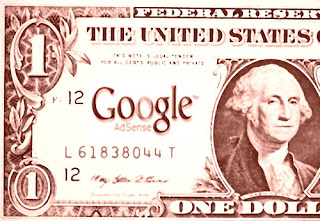
This is for search. Now let's look at blogs. Russ has been documenting how much he has been making through advertisement on his blog. Recently he mentioned that when his blog had 10,000 page views per day he was making about $100 per day with Google AdSense. That gets you to 1 cent per page view. 1 cent isn't as good as 9, and evidently searches are easier to monetize than page views on a blog, but this is still pretty darn good. Surprisingly so.

* That tells you how good Google is compared to Yahoo at picking the right advertisements.

Wednesday, February 13, 2008

PayPal Facebook Application

A few days ago, by mistake I typed "x" in the URL bar of my iPhone and pressed the Go button (that Go button is just below the backspace button; go figure!). I watched the phone go www.x.com and started to aim for cancel, as I expect some p0rn page to show up. Thanks to WiFi (or to me being utterly slow), the page loaded before I got a chance to hit cancel.

Surprise: x.com is owned by PayPal, who is now using the domain for their PayPal Labs site. (I should have known that as my bank account was with X.com at some point, before PayPal gave up on that line of business after their merger with X.com.)

One interesting bit came out of this: the PayPal Money Request application for Facebook. It seems to give you a nice and simple interface to send money requests to your friends, say to split the bill. It certainly looks much better than what you get by going to the PayPal site. And maybe, just maybe, that will be the first Facebook application that I would really find useful.

February 12, 2009 update: It looks like the PayPal Money Request application for Facebook is nowhere to be found. Instead the current PayPal application for Facebook seems to be designed to help you raise money from your friends from some cause.

Sunday, February 03, 2008

Microsoft, Yahoo, and Goodwill Value

The term goodwill value is accounting term. It is also used more loosely to refer to that part of a company valuation created by the positive perception of the company from clients, customers, and the general public.

This reminds of a test that was performed by AOL to compare the quality of their search engine to the one of other companies, like Google. They gathered people in a room, and asked them to rate how well the results given by different search engine matched what they were looking for. The verdict of the people was clear: Google was better. There was only one issue: AOL Search was always returning the exact same results as Google, because AOL Search was using the Google search engine. So why did people like better the result from the "real" Google? Most likely, because they trusted Google more. That trust has a real monetary value.

Good mergers create value; they create a whole which is greater than the sum of the parts. But I fear that if Yahoo gets acquired by Microsoft, a lot of goodwill value that has built by Yahoo over the years will lost. This would be bad for the people at Yahoo who worked all those years to build this value, and for the web as a whole.

Or as Russ puts it, more succinctly:

Anyone who stays after a MS purchase won't be working there for the love of the company, that's for sure.